
WCAG 2.1 Accessibility Guidelines: What You Need to Know
The Web Content Accessibility Guidelines (WCAG) 2.1 provide an internationally recognized framework for making web content accessible to people with disabilities. WCAG 2.1 builds upon WCAG 2.0 and introduces additional requirements focused on mobile accessibility, low vision, and cognitive impairments.
For organizations operating websites, SaaS platforms, or digital services, WCAG 2.1 is often the minimum standard required for legal and contractual compliance.
What Is WCAG 2.1?
WCAG 2.1 is published by the World Wide Web Consortium (W3C) and defines how to make digital content more accessible to users with disabilities, including:
Visual impairments
Hearing impairments
Motor disabilities
Cognitive and neurological limitations
The guidelines apply to websites, web applications, mobile interfaces, and digital documents.
The Four Principles of WCAG (POUR)
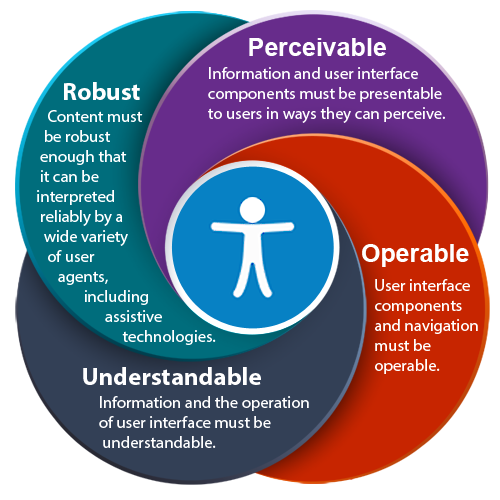
WCAG is structured around four fundamental principles, often referred to as POUR.
Perceivable
Information and user interface components must be presented in ways users can perceive.
Examples:
Text alternatives for images
Sufficient color contrast
Captions for audio and video
Operable
User interface components and navigation must be operable.
Examples:
Full keyboard accessibility
No content that flashes excessively
Clear focus indicators
Understandable
Information and operation of the interface must be understandable.
Examples:
Predictable navigation
Clear error messages
Readable and consistent language
Robust
Content must be robust enough to work with current and future assistive technologies.
Examples:
Valid HTML markup
Proper ARIA usage
Compatibility with screen readers
WCAG 2.1 Conformance Levels
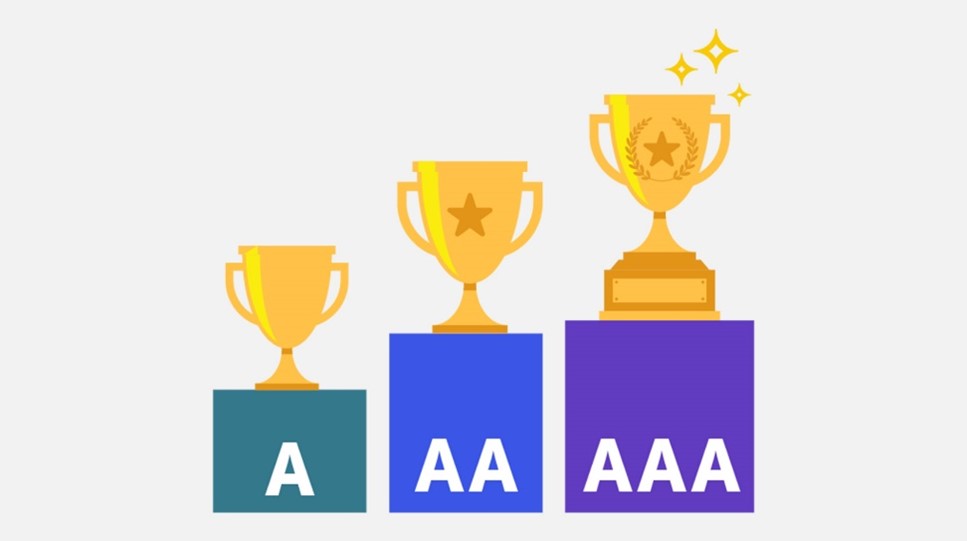
WCAG defines three levels of conformance:
Level A
Basic accessibility requirements
Addresses the most critical barriers
Level AA (Recommended Minimum)
Industry standard for legal compliance
Required by most laws and public-sector regulations
Level AAA
Highest level of accessibility
Not always achievable for all content
Most organizations aim for Level AA compliance, as it balances accessibility and feasibility.
Key Additions in WCAG 2.1
WCAG 2.1 introduced several important success criteria not present in WCAG 2.0, including:
Mobile accessibility improvements
Text spacing adjustments
Orientation flexibility
Enhanced support for low-vision users
[IMAGE: Mobile accessibility and text spacing example]
Alt text: Example of mobile-friendly accessible design with proper text spacing and orientation support
These additions reflect the growing importance of mobile devices and responsive design.
Practical Implementation Tips
Keyboard Accessibility
Ensure all interactive elements are reachable and usable via keyboard alone.
:focus {
outline: 2px solid #005FCC;
outline-offset: 2px;
}
Color Contrast
Text and interactive elements must meet contrast requirements (at least 4.5:1 for normal text).
Use proper HTML elements (, , ) instead of generic containers.
Email address
Why WCAG 2.1 Compliance Matters
WCAG 2.1 compliance delivers tangible benefits:
Reduced legal and regulatory risk
Improved usability for all users
Better SEO and technical quality signals
Increased reach to users with disabilities
Accessibility is not only a legal requirement—it is a quality standard.
WCAG 2.1 vs WCAG 2.2
WCAG 2.1 remains highly relevant, but WCAG 2.2 expands further on usability, focus visibility, and interaction design.
Organizations compliant with WCAG 2.1 have a strong foundation, but should prepare for WCAG 2.2 adoption to remain future-proof.
Getting Started
Start with an accessibility audit to understand where your website currently stands. Automated tools can identify many issues, but manual testing and real-user validation remain essential.
WCAG 2.1 compliance is not a one-time task, but an ongoing process.
Final tip
If you operate in the EU, UK, or US, aligning WCAG 2.1 with upcoming accessibility legislation (such as the European Accessibility Act) is strongly recommended.